Annotation Settings
Table of contents
Annotation Settings
The Annotation Settings tab is the first configuration tab for each annotation row. It defines the annotation type, label style behavior, and additional inputs required by specific label cases.
Feature And Label Type
Auto Annotation provides Feature and Label Type options aligned with Civil 3D label workflows. This helps users stay in a familiar setup pattern while automating placement.
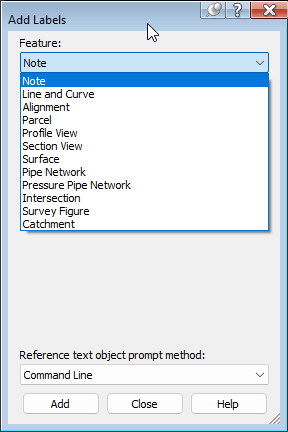 Image: Example list of label features used as reference for Auto Annotation options.
Note: the version on the image may not reflect the latest version.
Label Style Selection
For each label category, you can define one or more style-related inputs:
- Label Style - Select the style to apply for the selected feature and label type.
- Open style in Civil 3D - Use the adjacent button to open or edit style definitions directly in Civil 3D.
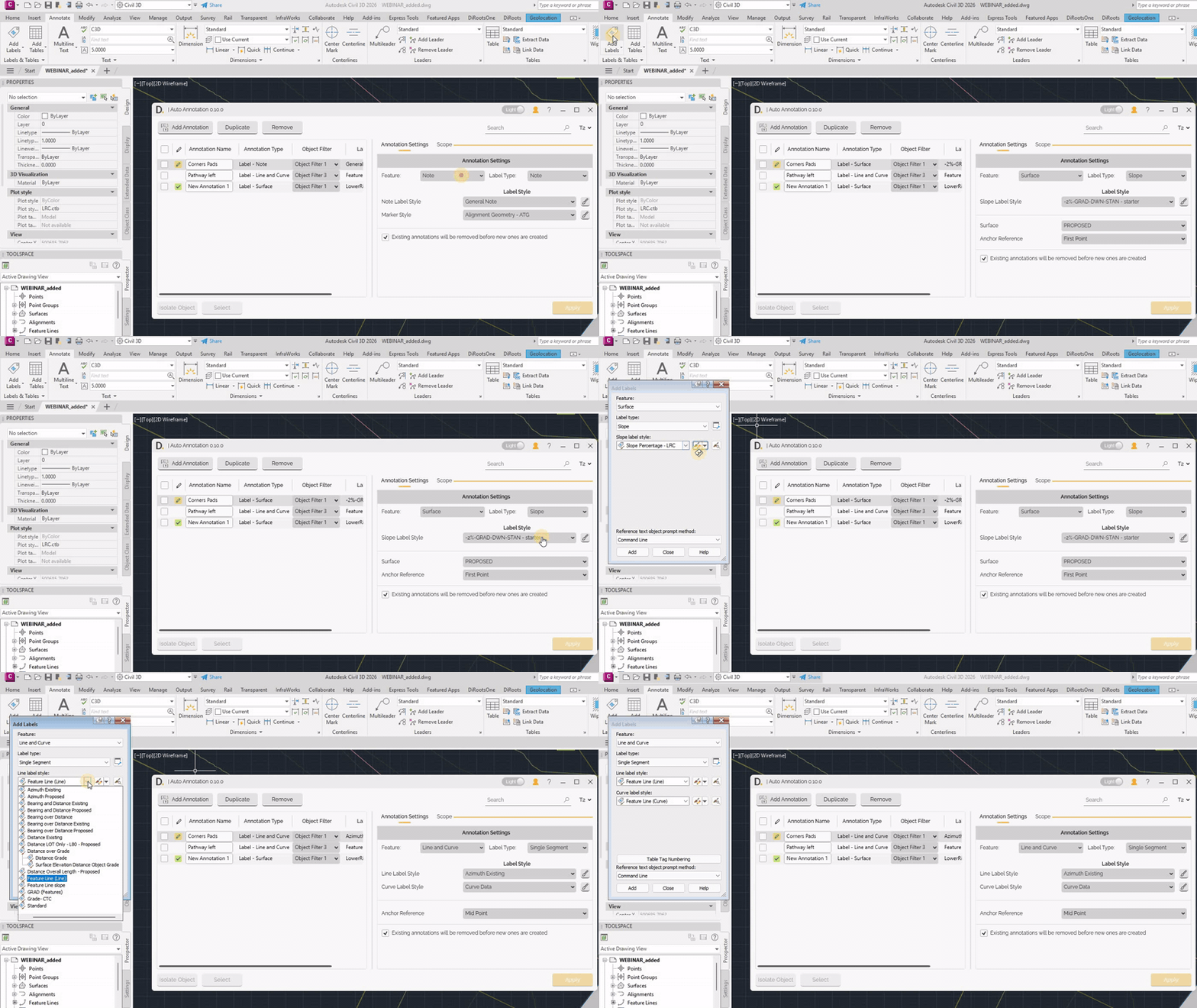 Note: the version on the image may not reflect the latest version of DiCivil Package.
Additional Inputs For Specific Cases
Some feature and label type combinations require extra parameters.
Example: Surface feature with Slope label type can require inputs such as:
- Surface to annotate.
- Anchor reference or other case-specific references.
Auto Annotation exposes these inputs only when required by the selected label type.
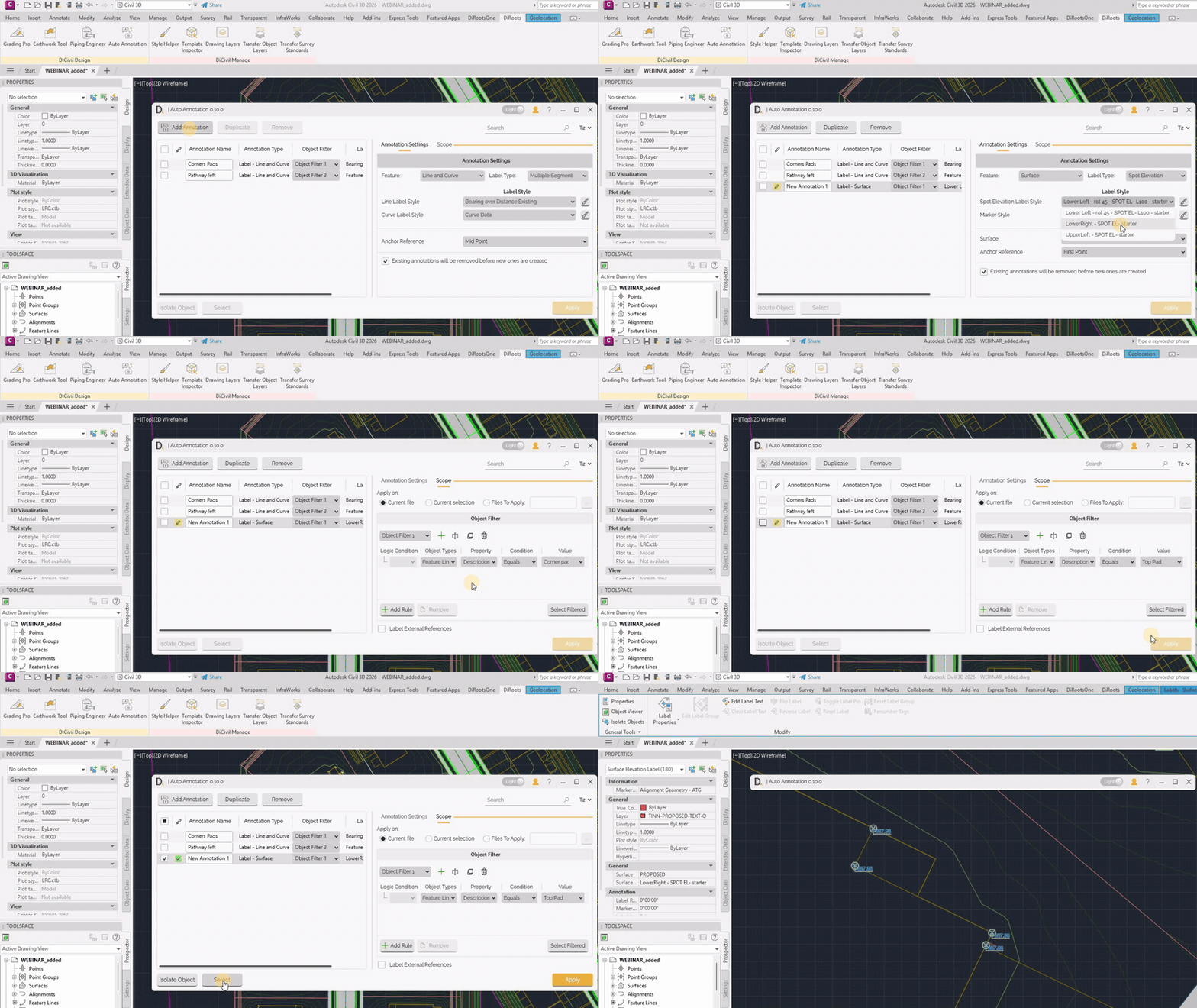 Note: the version on the image may not reflect the latest version of DiCivil Package.
Existing Annotation Replacement Behavior
You can control whether previous annotations created by the same auto annotation row are removed during execution:
- Enabled - Existing related annotations are removed before creating new ones.
- Disabled - New annotations are created without deleting previous ones.
Re-execution And Relocated Labels
When re-executing:
- If labels were manually dragged/relocated, Auto Annotation uses the previous relocated label location.
- Arrow vertex relocation is not reused because this behavior is not supported.
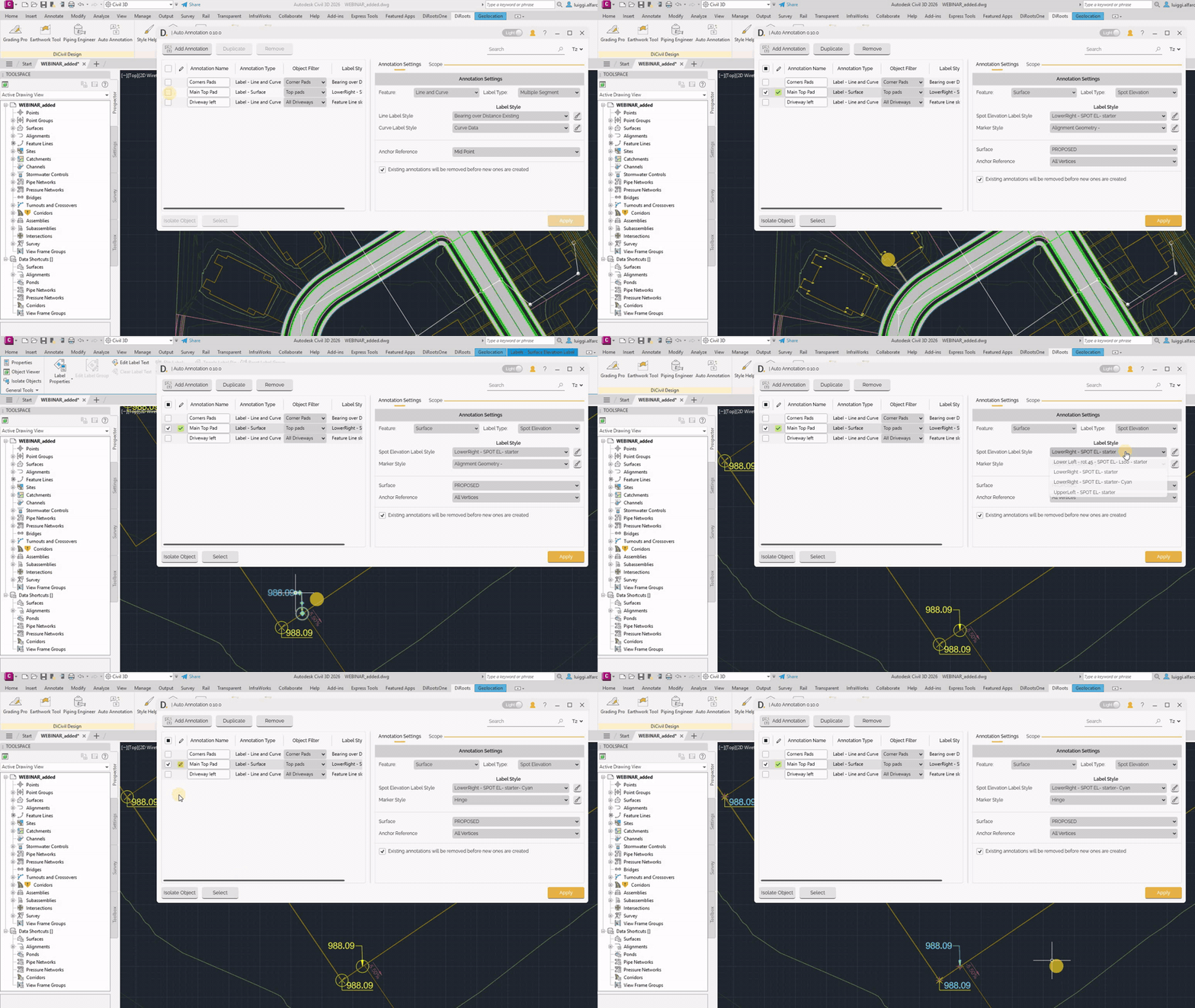 Note: the version on the image may not reflect the latest version of DiCivil Package.