Scope
Table of contents
Scope
The Scope tab defines where annotations are created for each annotation row. It is divided into two main sections:
- Apply On
- Object Filter
Apply On
This section defines which files are evaluated by the object filter:
- Current file - The object filter is applied only to the current drawing file.
- Current selection - The object filter is applied only to currently selected objects.
- Files to apply - Add one or more files (including closed files) where annotations are created.
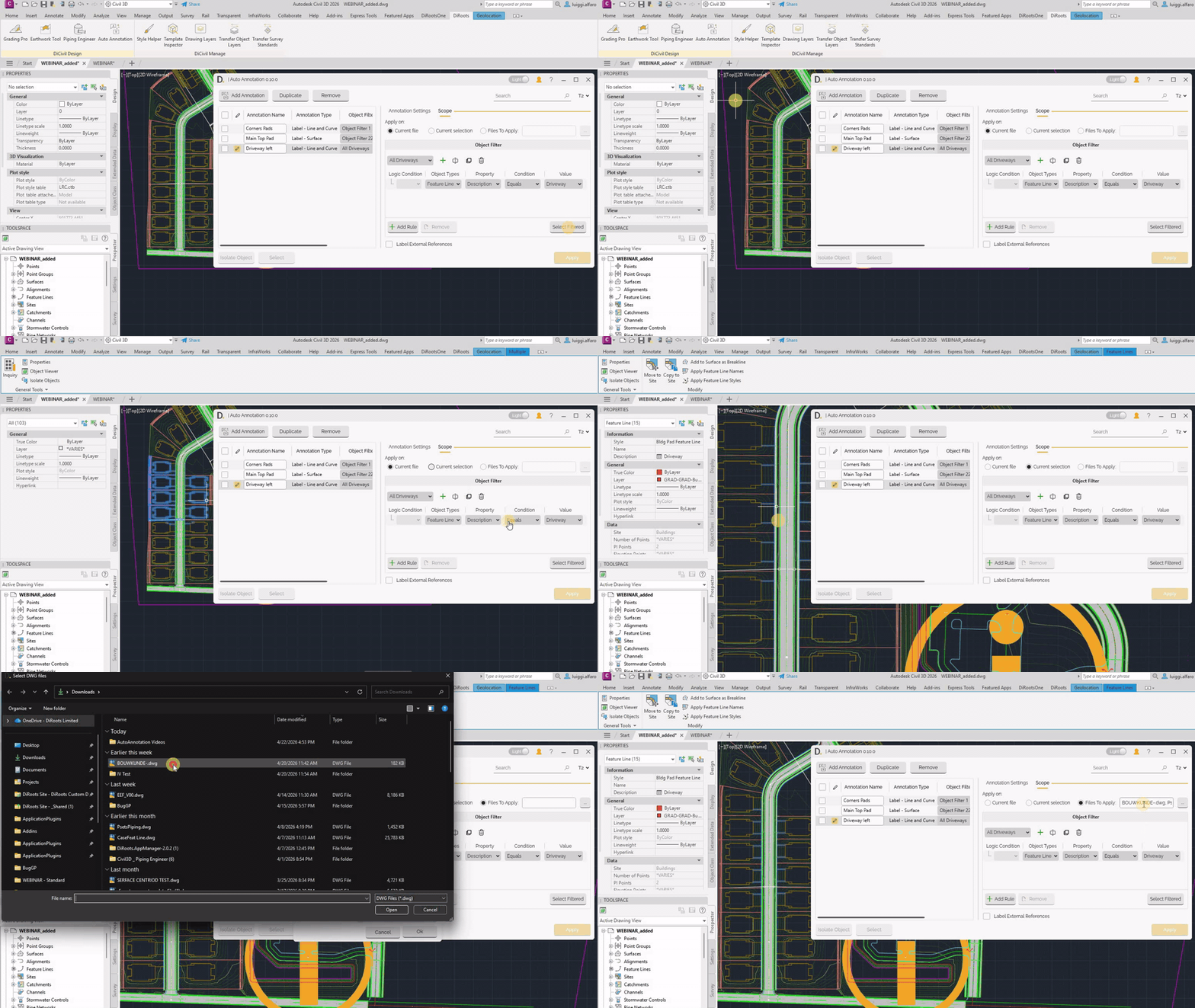 Note: the version on the image may not reflect the latest version of DiCivil Package.
Object Filter
It defines the location where the new annotations are placed, based on the filtered objects.
You can:
- Create a new object filter.
- Rename, duplicate, or delete object filters.
- Add or remove rules.
- Build complex logic using AND / OR conditions.
- Apply rules to multiple object types and related properties.
- Preview matched objects with Select Filtered.
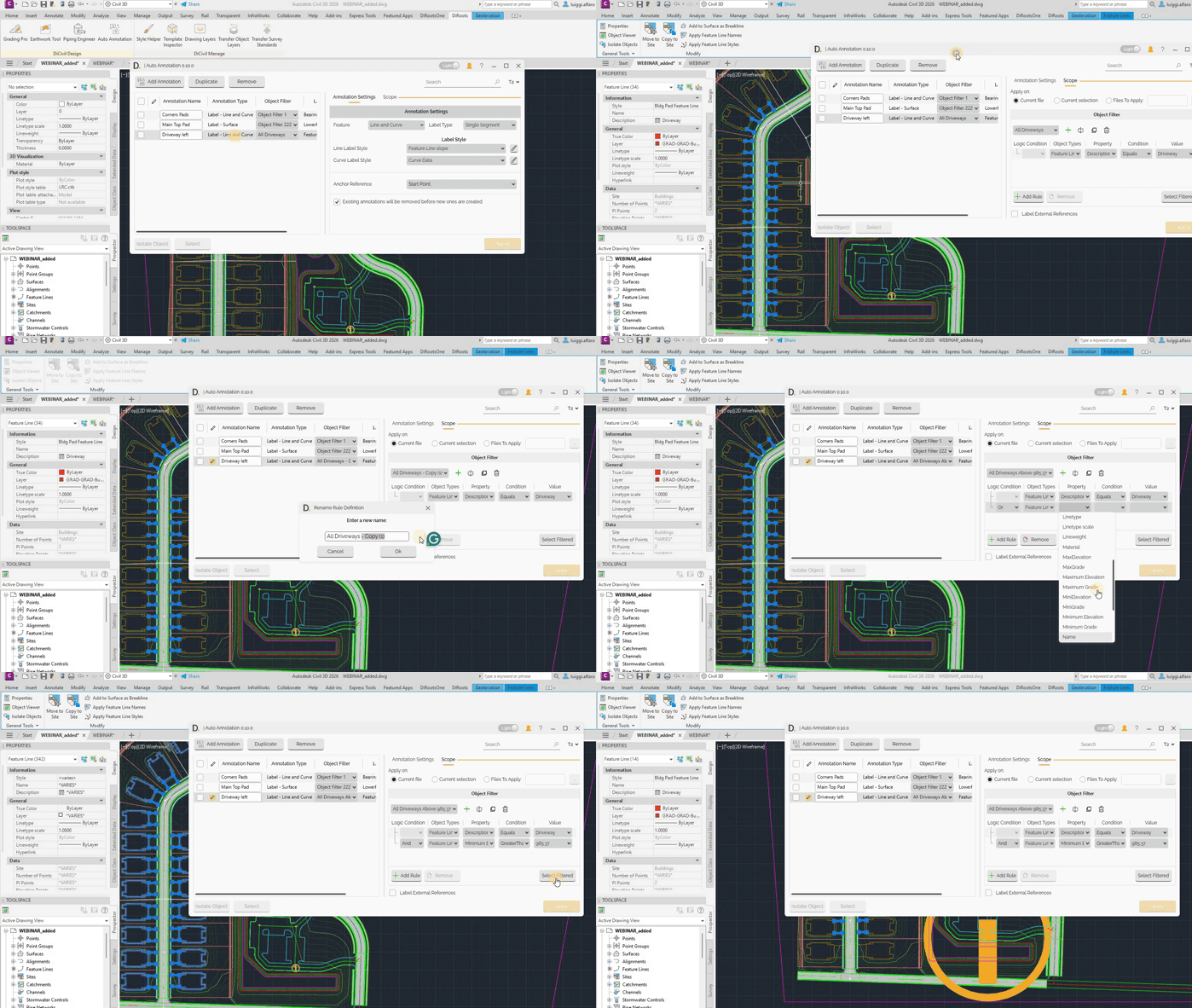 Note: the version on the image may not reflect the latest version of DiCivil Package.
You can also enable labeling for external references. Object Filter uses a rules-based logic similar to DiRootsOne OneFilter for AutoCAD vertical products.
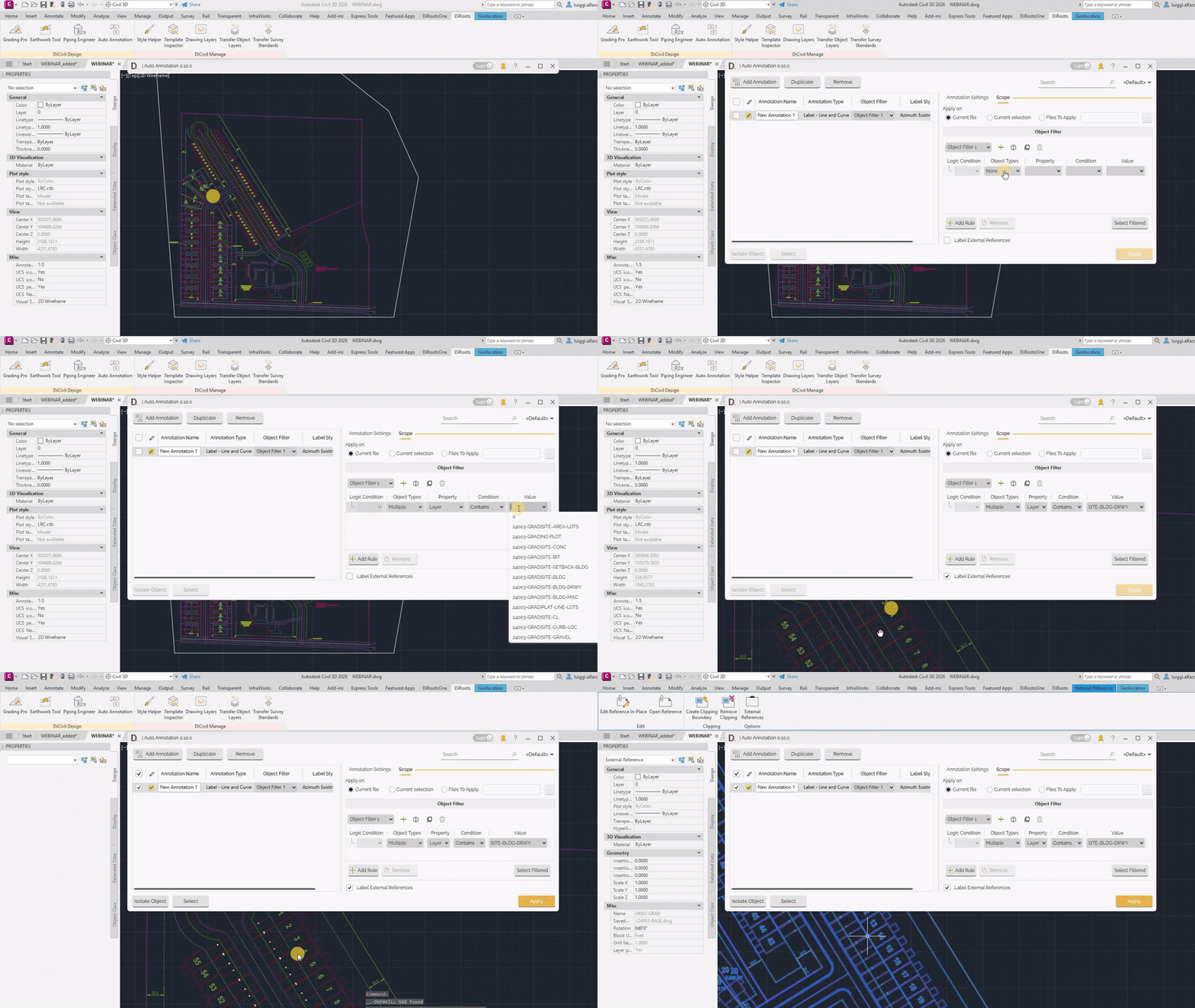 Note: the version on the image may not reflect the latest version of DiCivil Package.